Skip to main content
English (US)
አማርኛ
English (LU)
Français
Shqip
Submit a request
Sign in
English (US)
አማርኛ
English (LU)
Français
Shqip
Moderator Sushant
Get 5 Star Reviews
My Reviews
How do I see my latest reviews?
Sushant Awalekar
September 21, 2021 10:44
To see your latest reviews, select the
Get 5 Star Reviews
tile.
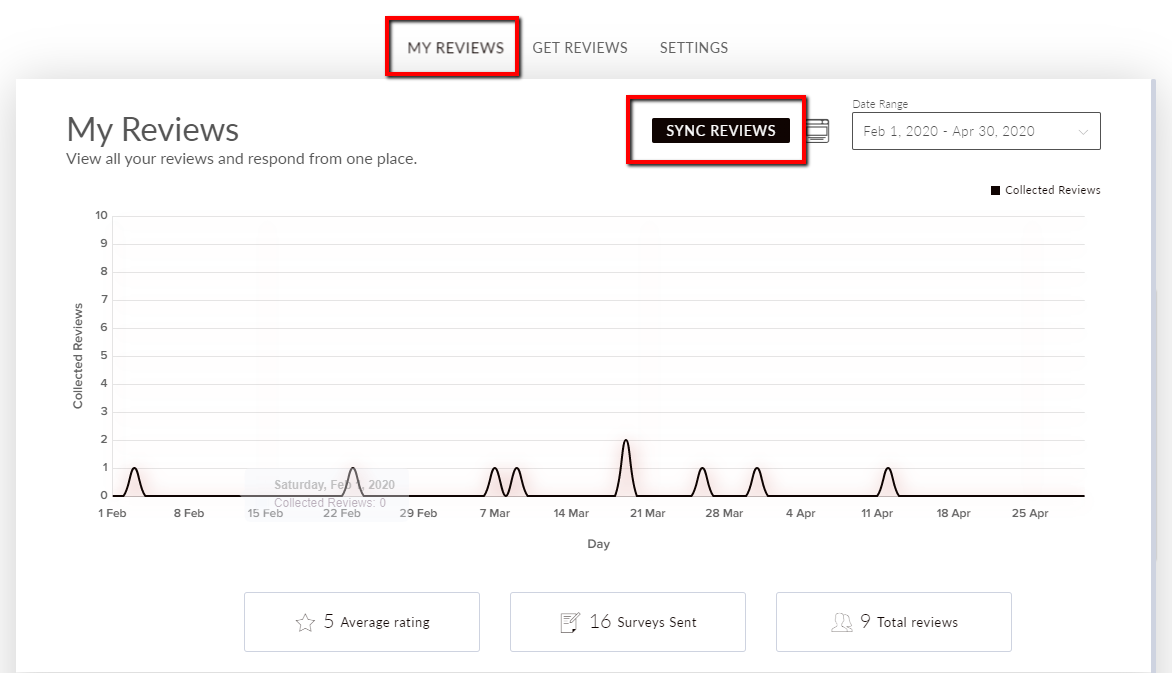
Navigate to the
My Reviews
tab and select
Sync Reviews
. You will now be able to see all your latest reviews on your dashboard.
Articles in this section
New Test Article floww slug
Article floww 2 3 4 5
Test 3
What happens when I connect a platform in Get 5 Star Reviews?
How do I filter survey recipients by the date their survey is scheduled and view my scheduled surveys?
What can I do on the My Reviews tab?
How do I sort my reviews by star rating?
How do I sort my reviews by platform?
How do I share a review on social media?
How do I respond to a review?
See more
Was this article helpful?
Yes
No
0 out of 0 found this helpful
Comments
0 comments
Please
sign in
to leave a comment.
Have more questions?
Submit a request
Share it, if you like it.
Powered by Zendesk

Comments
0 comments